
Users and access expiry
Create connections, set access expiry, and pause access without deleting the client or changing its keys.
Pause · Resume · ReissueManage AmneziaWG users in AmneCore: issue QR codes and keys, set access expiry and speed limits, and keep track of traffic and activity.
Your sign-in details will be emailed automatically.
From creating your first user to monitoring traffic across the whole team.
Create connections, set access expiry, and pause access without deleting the client or changing its keys.
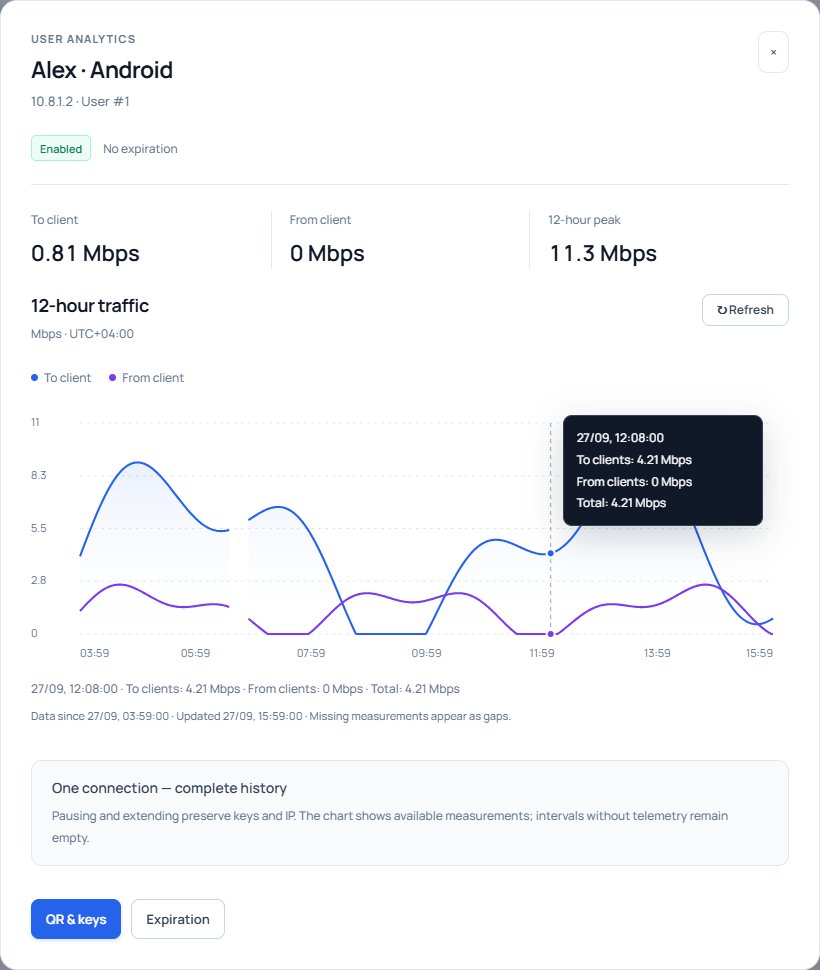
Pause · Resume · ReissueView 7 days of channel history and 12 hours for each client. Choose a period and inspect readings at a specific moment.
To clients / From clientsShare an Amnezia VPN profile in the format that works for your users: a text key, QR player or file bundle.
Windows · Android · iPhoneSet a speed limit and check bandwidth usage from the same interface.
Individual settingsColour-coded statuses highlight connections worth checking. Open the details to investigate; a risk rating is not proof of misuse.
Normal · Attention · High riskSee when a profile was issued, access was changed or keys were reissued. Search and filters help you find the event you need.
Who · What · WhenStart with the last hour or choose a period within the past week. Zoom in on an area of interest and compare it with an individual client's history.
Choose a hosting model that fits your infrastructure and maintenance requirements.
Run the panel and VPN on one server for a compact installation with fewer components.
Use a dedicated server in your infrastructure. We agree on connectivity and access before deployment.
Hosting and maintenance under an agreed service model. We discuss the terms around your needs.
Leave your name and email. The system will automatically send you sign-in details for the demo portal.
VPN clients in the shared demo area are valid for 48 hours after creation or reissue. Access is then disabled without deleting the client.
Only your name, email and consent are required.
Your sign-in details will be sent automatically to the email you provide.